WiFi Garage Door Opener Not Connecting – Fix Guide
You tap the app. Nothing happens. You tap it again. Still nothing. A WiFi garage door opener not connecting doesn't just cost you time, it leaves you wondering if your garage is secure at all. That uncertainty ends today.
At FixNGo TX, we've diagnosed this exact problem hundreds of times, and here's the truth: it's almost never one mystery cause. It's usually one of six specific issues, and once you know which one you're dealing with, the fix takes minutes. This guide gives you the real troubleshooting sequence our technicians use in the field, not generic advice you've already tried.
Why Your Garage Door Opener Loses Connection
Your garage is working against you before you even start troubleshooting. Metal doors block signal. Concrete walls absorb it. Distance from your router weakens it further. Add in firmware bugs, router hiccups, and expired credentials, and you've got a device that's constantly fighting to stay online.
The fix isn't guesswork. It's elimination, done in the right order, starting with the most common cause and working down.
How to Fix a WiFi Garage Door Opener Not Connecting
1. Test Your Signal Strength at the Source
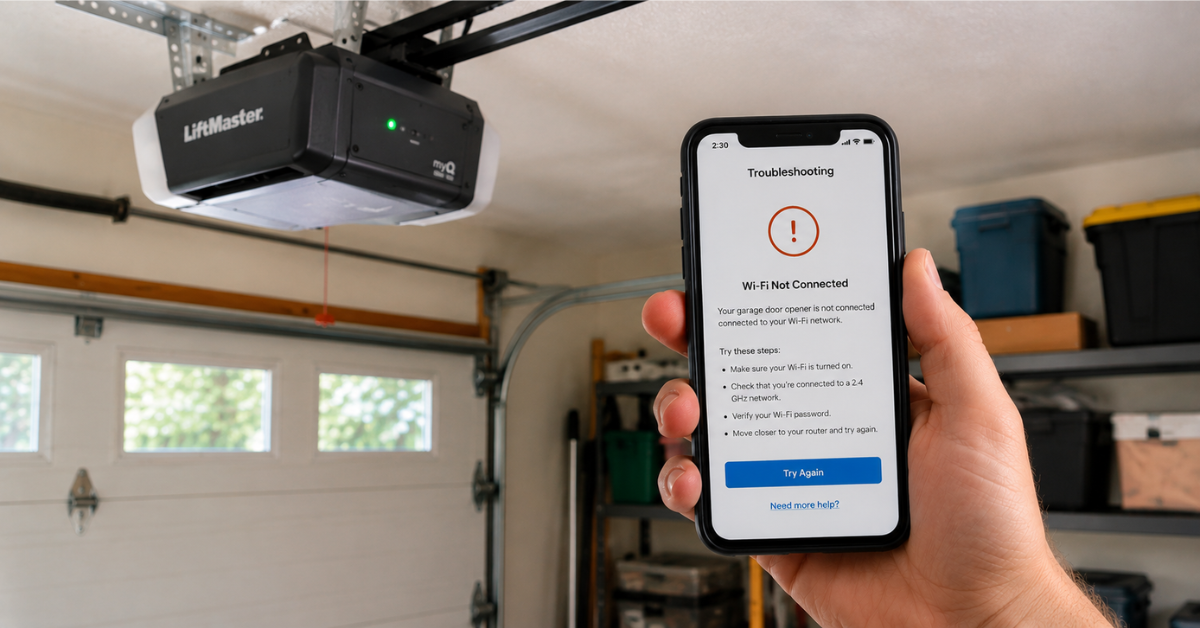
Don't assume your Wi-Fi is fine because it works in the kitchen. Stand exactly where your opener's hub is mounted and check your phone's signal bars. If it drops below two bars, you've found your problem immediately.
Fix it fast:
- Install a mesh point or extender within 15 feet of the opener.
- Force the opener onto the 2.4GHz band, since it punches through walls farther than 5GHz.
- Relocate your router if it's tucked in a back room or basement.
2. Power Cycle Everything, Not Just the Opener
A partial restart fixes nothing. Unplug the opener's Wi-Fi hub, your router, and your modem, all at once, and leave them off for a full 60 seconds. Power the modem on first, wait two minutes, then the router, then the opener. This clears stuck connections that a quick reboot alone won't touch.
3. Force the Firmware and App to Current Version
An outdated opener is a disconnected opener. Manufacturers like Chamberlain, LiftMaster, and Genie push silent fixes for exactly this problem, and if you're not updated, you're running on broken code. Open myQ or Aladdin Connect, go to settings, and manually check for updates instead of waiting for auto-install.
4. Re-Sync the Opener After Any Network Change
Changed your Wi-Fi password recently? That's your answer. The opener is still trying to authenticate with credentials that no longer exist. Re-run the app's pairing process from scratch and enter your current network password. This single step resolves a huge share of "not connecting" cases we see.
5. Rule Out Your Router Before You Blame the Opener
If your smart lights, thermostat, or cameras are also glitching, the opener isn't the problem, your network is. Check your router's admin panel for pending firmware updates, and confirm you're not maxed out on connected devices.
6. Full Factory Reset — the Nuclear Option
When nothing else works, wipe it and start over. A factory reset erases every corrupted setting causing the disconnect. Check your model's manual for the exact reset combination, then re-pair it exactly like a fresh install. This resolves the deep software glitches that basic fixes can't touch.
When It's Time to Stop Troubleshooting and Call In Backup
If you've gone through every step and your WiFi garage door opener still won't connect, you're not dealing with software anymore. A failing antenna, a dying circuit board, or an opener at the end of its life will mimic a connectivity issue perfectly, and no amount of resetting will fix hardware failure.
FixNGo TX technicians can diagnose this on-site in minutes and tell you exactly whether you need a repair or a replacement, no guesswork required.
Final Thoughts
A disconnected garage door opener isn't a mystery, it's a checklist. Work through signal strength, power cycling, updates, and re-syncing in order, and most connection issues disappear before you reach the reset step.
If you've done everything on this list and you're still locked out of your own garage door app, stop wasting time guessing. Call FixNGo TX, and we'll get it reconnected and reliable, the same day.
FAQ
Q: Why does my garage door opener keep going offline?
A: The leading causes are weak Wi-Fi signal at the opener's location, outdated firmware, and a Wi-Fi password change that the opener hasn't been re-synced to.
Q: Should I use 2.4GHz or 5GHz for my garage door opener?
A: Use 2.4GHz. It travels farther through walls and doors than 5GHz, making it far more reliable for garage-mounted devices.
Q: How do I fix my opener after changing my Wi-Fi password?
A: Re-run the setup process in your manufacturer's app and enter the new password to re-establish the connection.
Q: Can my router cause my garage door opener to disconnect?
A: Yes. An overloaded, outdated, or malfunctioning router can drop smart devices even when everything else seems fine.
Q: What if a factory reset doesn't fix the connection problem?
A: That usually points to a hardware failure, such as a damaged antenna or aging circuit board, and it's time to have a professional inspect the unit.
You might also like
Fix N Go Blog